Development · 13 min read · 2026-06-09
How to Build a Copy Trading Platform with MT5 REST API
By MetaTrader API Editorial Team
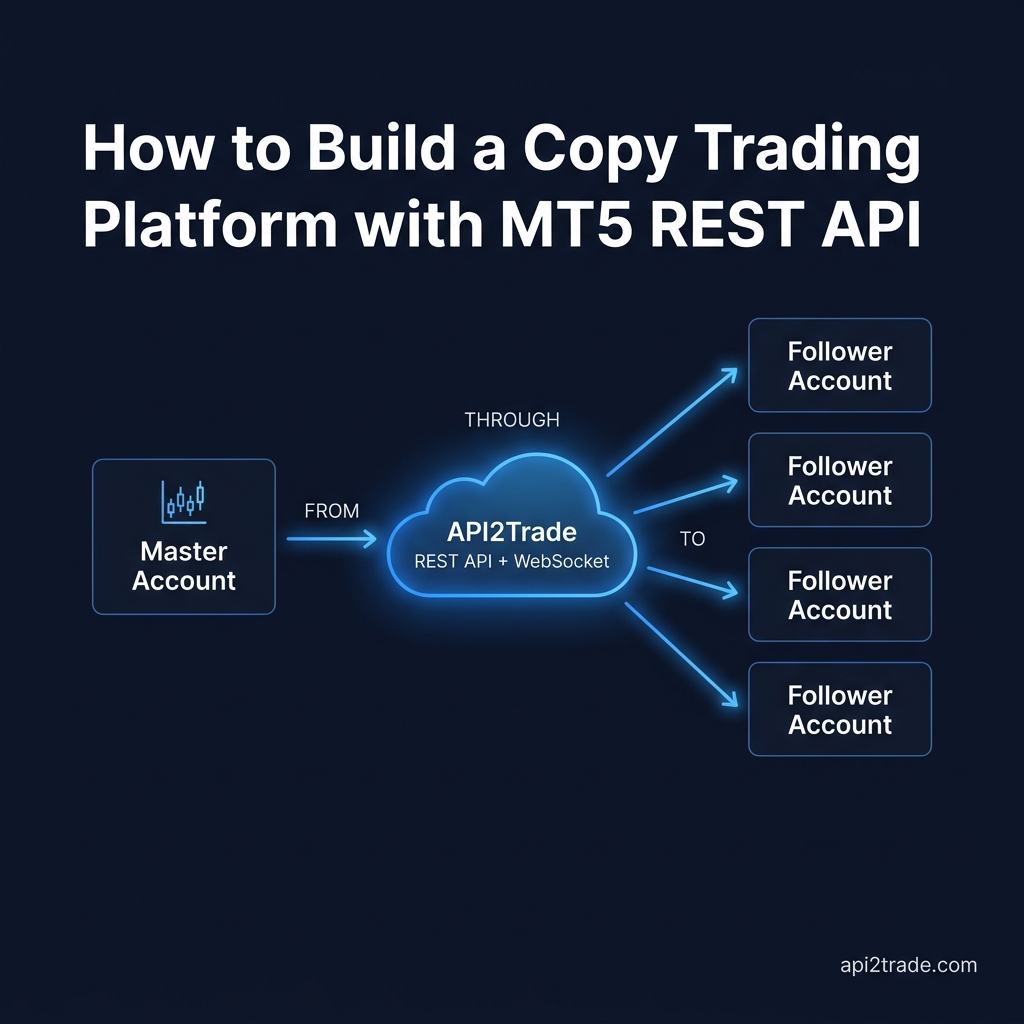
Step-by-step developer guide to building a copy trading platform on MetaTrader 5 using a REST API and WebSocket. Covers master detection, risk engine, follower execution, and scaling — with real Python code.
Step-by-step developer guide to building a copy trading platform on MetaTrader 5 using a REST API and WebSocket. Covers master detection, risk engine, follower execution, and scaling — with real Python code.
Published: June 2026 · Category: Development · Read time: ~13 min
Target URL: https://metatraderapi.net/blog/how-to-build-a-copy-trading-platform-mt5-rest-api/

Copy trading is one of the fastest-growing fintech verticals in the world. Platforms like eToro, ZuluTrade, and NAGA have proved there is enormous demand: traders want to follow experts, and profitable traders want to monetize their edge. The question is — how do you build the infrastructure behind it yourself?
The answer is not a white-label solution that locks you into someone else's fee structure, subscriber data, and feature roadmap. The answer is a REST API + WebSocket bridge between your master account and your follower accounts, running on your own server, under your own brand.
This guide walks you through the complete technical architecture — from detecting a master trade in real time to executing it proportionally across dozens of follower accounts — using MetaTrader API and Python.
No Expert Advisors. No MQL5. No broker-side dependencies.
What You Are Actually Building
A copy trading platform has three core components:
The Signal Source — a master MT5 account whose trades you detect in real time
The Copy Engine — your server that applies risk rules and replicates trades
The Follower Layer — one or more subscriber MT5 accounts that receive executions
MetaTrader API provides the bridge between all three. Your server is the only custom piece you write.
Prerequisites
An MetaTrader API account (flat-rate plans for developers and teams)
A master MT5 account (any broker, demo or live)
At least one follower MT5 account to test with
Python 3.9+ with
requests,websocket-client, andthreadinginstalledYour API credentials from the MetaTrader API dashboard (provided after sign-up)

Part 1 — Connecting the Master Account
Every session in the MetaTrader API REST API starts with /ConnectEx. This authenticates to your MT5 account and returns a session token (UUID) that identifies that account in all subsequent calls. You will have one session per account — master and each follower.
import requests
from uuid import uuid4

# Your MetaTrader API service credentials
# (base URL and auth details provided in your dashboard after sign-up)
API_BASE = "https://YOUR_MetaTrader API_ENDPOINT"
API_USER = "your_metatraderapi_username"
API_PASS = "your_metatraderapi_password"

def connect(mt_login: int, mt_password: str, mt_server: str, label: str = "") -> str:
 """
 Connect an MT5 account to the API and return its session token.
 Save the returned token — it reconnects the session without re-authenticating.
 """
 session_id = str(uuid4())

 resp = requests.get(
 f"{API_BASE}/ConnectEx",
 auth=(API_USER, API_PASS),
 params={
 "user": mt_login,
 "password": mt_password,
 "server": mt_server,
 "id": session_id,
 },
 timeout=60,
 )
 resp.raise_for_status()
 print(f"[{label}] Connected — session: {session_id}")
 return session_id

# Connect the master account
MASTER_SESSION = connect(
 mt_login=12345678,
 mt_password="master_pass",
 mt_server="YourBroker-Live",
 label="MASTER",
)

# Connect follower accounts
FOLLOWER_SESSIONS = {
 "follower_alice": connect(12345001, "alice_pass", "YourBroker-Live", "ALICE"),
 "follower_bob": connect(12345002, "bob_pass", "AnotherBroker-Real", "BOB"),
}
Pro tip: Store session tokens in a database or Redis. On server restart, use /ConnectByToken?id=SESSION_ID to reconnect any session in milliseconds without re-entering credentials. This makes your platform resilient to restarts without requiring traders to re-authenticate.
Part 2 — Building the Real-Time Detection Engine
Once the master account is connected, you need to listen for every trade it opens, modifies, or closes — in real time. This is handled by two calls:
/SubscribeOrderUpdate— tells the API you want trade event notifications for this sessionThe
OnOrderUpdateWebSocket channel — delivers each event as JSON the instant it occurs
import websocket
import json
import base64
import threading

def enable_order_updates(session_id: str):
 """Subscribe the session to real-time order update events."""
 resp = requests.get(
 f"{API_BASE}/SubscribeOrderUpdate",
 auth=(API_USER, API_PASS),
 params={"id": session_id},
 )
 resp.raise_for_status()
 print(f"Order update subscription enabled for session {session_id}")

enable_order_updates(MASTER_SESSION)

def start_master_listener(session_id: str, on_trade_event):
 """
 Open the OnOrderUpdate WebSocket for the master account.
 Calls on_trade_event(event_dict) for every trade action.
 Auto-reconnects on disconnect.
 """
 credentials = f"{API_USER}:{API_PASS}"
 auth_header = base64.b64encode(credentials.encode()).decode()

 # WebSocket URL structure — your exact endpoint is in your MetaTrader API dashboard
 ws_url = f"{API_BASE.replace('https://', 'wss://')}/OnOrderUpdate?id={session_id}"

 def on_message(ws, raw):
 event = json.loads(raw)
 if event.get("type") == "OnOrderUpdate":
 on_trade_event(event)

 def on_error(ws, err):
 print(f"[MASTER WS] Error: {err}")

 def on_close(ws, *args):
 print("[MASTER WS] Disconnected — will auto-reconnect")

 ws = websocket.WebSocketApp(
 ws_url,
 header={"Authorization": f"Basic {auth_header}"},
 on_message=on_message,
 on_error=on_error,
 on_close=on_close,
 )

 # Run in a background thread so the main process stays free
 thread = threading.Thread(
 target=ws.run_forever,
 kwargs={"reconnect": 5},
 daemon=True,
 )
 thread.start()
 print("[MASTER WS] Listener started in background thread")
When your master trader opens a EURUSD position, the WebSocket delivers an event like this:
{
 "type": "OnOrderUpdate",
 "ticket": 294871023,
 "symbol": "EURUSD",
 "action": "open",
 "volume": 1.00,
 "price": 1.08420,
 "stopLoss": 1.07900,
 "takeProfit": 1.09200,
 "comment": "breakout strategy"
}
The action field tells you exactly what happened: "open", "close", or "modify". Your copy engine handles each case.
Part 3 — The Risk Engine
This is the most important component. A naive copy engine that blindly mirrors every trade at 1:1 volume will blow up followers with different account sizes. A professional copy trading platform always applies a risk calculation layer.
The two most common approaches are:
A) Equity-Ratio Lot Sizing
The follower's lot size is proportional to their account equity relative to the master:
follower_lots = master_lots × (follower_equity / master_equity)
B) Fixed Multiplier
Each follower has a personal multiplier (e.g., 0.5× or 2×) configured at sign-up.
Both require knowing the follower's current equity, which you fetch with /AccountSummary:
def get_account_summary(session_id: str) -> dict:
 """Fetch live account balance, equity, and free margin."""
 resp = requests.get(
 f"{API_BASE}/AccountSummary",
 auth=(API_USER, API_PASS),
 params={"id": session_id},
 )
 data = resp.json()
 return {
 "balance": data.get("balance", 0),
 "equity": data.get("equity", 0),
 "freeMargin": data.get("freeMargin", 0),
 "marginLevel": data.get("marginLevel", 0),
 "currency": data.get("currency", "USD"),
 }

def calculate_follower_lots(
 master_lots: float,
 master_equity: float,
 follower_equity: float,
 min_lots: float = 0.01,
 max_lots: float = 10.0,
) -> float:
 """Equity-ratio proportional lot sizing with floor/ceiling enforcement."""
 if master_equity <= 0:
 return min_lots
 ratio = follower_equity / master_equity
 raw = master_lots * ratio
 # Round to 2dp (standard broker lot precision)
 sized = round(raw, 2)
 return max(min_lots, min(sized, max_lots))

def should_replicate(follower_summary: dict, min_free_margin: float = 100.0) -> bool:
 """
 Safety gate: skip replication if the follower account is underfunded
 or the margin level is dangerously low.
 """
 if follower_summary["freeMargin"] < min_free_margin:
 print(f"[RISK] Skipping — free margin too low: {follower_summary['freeMargin']}")
 return False
 if follower_summary["marginLevel"] < 150: # below 150% = danger zone
 print(f"[RISK] Skipping — margin level critical: {follower_summary['marginLevel']}%")
 return False
 return True
Part 4 — Executing Trades on Follower Accounts
With the risk engine in place, you can now execute the replicated trade on each follower account. For MT5, use /OrderSendSafe:
def replicate_open(master_event: dict, master_equity: float):
 """
 Replicate a master OPEN event to all registered follower accounts.
 Runs the full risk pipeline before each execution.
 """
 for name, follower_session in FOLLOWER_SESSIONS.items():
 try:
 summary = get_account_summary(follower_session)

 if not should_replicate(summary):
 continue # safety gate failed — skip this follower

 lots = calculate_follower_lots(
 master_lots=master_event["volume"],
 master_equity=master_equity,
 follower_equity=summary["equity"],
 )

 resp = requests.get(
 f"{API_BASE}/OrderSendSafe",
 auth=(API_USER, API_PASS),
 params={
 "id": follower_session,
 "symbol": master_event["symbol"],
 "operation": master_event["action"].capitalize(), # "Buy" or "Sell"
 "volume": lots,
 "stoploss": master_event.get("stopLoss", 0),
 "takeprofit": master_event.get("takeProfit", 0),
 "comment": f"copy#{master_event['ticket']}",
 },
 )
 result = resp.json()
 follower_ticket = result.get("ticket")

 # IMPORTANT: store the mapping master_ticket → follower_ticket
 # You need this to replicate closes and modifications later
 TICKET_MAP[master_event["ticket"]][name] = follower_ticket
 print(f"[{name}] Copied open: {lots} lots → ticket {follower_ticket}")

 except Exception as e:
 print(f"[{name}] Replication failed: {e}")
For MT4 followers: Use /OrderSend instead of /OrderSendSafe. All parameters are identical — only the endpoint name differs. Both MT4 and MT5 base URLs are provided in your MetaTrader API dashboard after sign-up.
Part 5 — Handling Closes and Modifications
A complete copy trading platform must also replicate when the master closes or modifies a trade. The OnOrderUpdate WebSocket delivers these too — you just need to handle each action type.
Closing a Follower Trade
When the master closes position ticket 294871023, you look it up in your ticket map and close the follower's corresponding ticket using /OrderCloseSafe:
def replicate_close(master_event: dict):
 """Close the corresponding follower position when the master closes."""
 master_ticket = master_event["ticket"]

 for name, follower_session in FOLLOWER_SESSIONS.items():
 follower_ticket = TICKET_MAP.get(master_ticket, {}).get(name)
 if not follower_ticket:
 continue # no mapped position for this follower

 try:
 resp = requests.get(
 f"{API_BASE}/OrderCloseSafe",
 auth=(API_USER, API_PASS),
 params={
 "id": follower_session,
 "ticket": follower_ticket,
 "lots": master_event.get("volume", 0), # 0 = full close
 },
 )
 print(f"[{name}] Closed follower ticket {follower_ticket}: {resp.json()}")

 except Exception as e:
 print(f"[{name}] Close failed: {e}")

def replicate_modify(master_event: dict):
 """Modify SL/TP on follower positions when master modifies."""
 master_ticket = master_event["ticket"]

 for name, follower_session in FOLLOWER_SESSIONS.items():
 follower_ticket = TICKET_MAP.get(master_ticket, {}).get(name)
 if not follower_ticket:
 continue

 try:
 resp = requests.get(
 f"{API_BASE}/OrderModifySafe",
 auth=(API_USER, API_PASS),
 params={
 "id": follower_session,
 "ticket": follower_ticket,
 "stoploss": master_event.get("stopLoss", 0),
 "takeprofit": master_event.get("takeProfit", 0),
 },
 )
 print(f"[{name}] Modified ticket {follower_ticket}: {resp.json()}")

 except Exception as e:
 print(f"[{name}] Modify failed: {e}")
The Master Event Router
Bring all three handlers together in one clean dispatcher:
# Ticket map: {master_ticket: {follower_name: follower_ticket}}
TICKET_MAP: dict = {}

def on_master_trade(event: dict):
 """Route incoming master trade events to the correct handler."""
 action = event.get("action", "").lower()

 master_summary = get_account_summary(MASTER_SESSION)
 master_equity = master_summary["equity"]

 if action == "open":
 replicate_open(event, master_equity)
 elif action == "close":
 replicate_close(event)
 elif action == "modify":
 replicate_modify(event)
 else:
 print(f"[ROUTER] Unknown action: {action} — event: {event}")

# Start the WebSocket listener
start_master_listener(MASTER_SESSION, on_trade_event=on_master_trade)
Your copy trading engine is now fully operational. Every trade the master opens, closes, or modifies is replicated in near real time across every registered follower account — with proportional sizing and margin safety gates.
Part 6 — Monitoring Open Positions Across All Accounts
Your platform needs a live view of what is open across all accounts — for your dashboard, for your followers, and for your own risk monitoring. /OpenedOrders gives you that:
def get_all_open_positions() -> dict:
 """Fetch open positions for master and all followers."""
 all_positions = {}

 all_sessions = {"master": MASTER_SESSION, **FOLLOWER_SESSIONS}

 for name, session_id in all_sessions.items():
 resp = requests.get(
 f"{API_BASE}/OpenedOrders",
 auth=(API_USER, API_PASS),
 params={"id": session_id},
 )
 positions = resp.json()
 all_positions[name] = positions
 for pos in positions:
 print(
 f" [{name}] {pos['symbol']} {pos['type']} "
 f"| Vol: {pos['volume']} | P/L: {pos['profit']:.2f}"
 )

 return all_positions
Poll this every 30–60 seconds to keep your dashboard live. For real-time P&L updates without polling, subscribe to the OnOrderProfit WebSocket channel — which fires every time any open trade's floating P&L changes.
Build vs. Buy: DIY API vs. White-Label
Many developers start by evaluating whether to build from scratch or use a white-label copy trading solution. Here is the honest comparison:
| Feature | White-Label Provider | MetaTrader API DIY Build |
| Time to first working demo | Days (theirs, not yours) | Under 2 hours with this guide |
| Monthly SaaS cost | €500–€3,000+/mo | MetaTrader API subscription only |
| Revenue share to provider | 10–30% of subscription revenue | 0% — you keep everything |
| Full source code ownership | ❌ No | ✅ Yes |
| Custom risk rules per follower | Limited | ✅ Unlimited |
| Cross-broker copy (MT4 ↔ MT5) | Rare | ✅ Native |
| Own subscriber database | ❌ Locked in their CRM | ✅ Your database |
| Custom branding & domain | Partial | ✅ Complete |
| Regulatory compliance | Provider handles some | You own it |
| Scalability beyond their limits | Hard | ✅ Scale as needed |
The white-label makes sense if you need to launch in 48 hours with no developers. If you are reading a technical guide like this, you are building something — and the DIY path gives you complete control of a product that is actually yours.
Scaling Your Copy Trading Platform
Once you have the core engine working, these are the real production concerns:
Multiple Master Accounts
You can run multiple master listeners simultaneously — each in its own background thread with its own WebSocket connection. Your server becomes a fan-out router: N masters → M followers each.
Session Persistence
Store all session tokens in a database (PostgreSQL, Redis). On server restart, call /ConnectByToken for every stored session instead of full re-authentication. This makes restarts invisible to your users.
Symbol Name Mapping
Different brokers use different symbol names (EURUSD vs EURUSD.m vs EURUSDpro). Build a configurable mapping table per follower account at registration time. Use /SymbolList to query what symbols are available on any connected account before executing:
def get_symbol_list(session_id: str) -> list:
 resp = requests.get(
 f"{API_BASE}/SymbolList",
 auth=(API_USER, API_PASS),
 params={"id": session_id},
 )
 return resp.json()
Follower Onboarding Flow
When a new subscriber signs up to your platform:
- Collect their MT5 login, password, and server name
- Call
/ConnectExto create their session - Store the session token in your database
- Call
/AccountSummaryto verify the connection and record their starting balance - Show them their account stats on your dashboard
This entire flow takes about 5 API calls and runs in under 3 seconds.
Trade History and Performance Stats
Use /OrderHistory to pull complete trade history for any account and compute performance metrics — win rate, profit factor, max drawdown — to display on leaderboards or subscriber-facing profile pages:
def get_trade_history(session_id: str, from_date: str, to_date: str) -> list:
 resp = requests.get(
 f"{API_BASE}/OrderHistory",
 auth=(API_USER, API_PASS),
 params={
 "id": session_id,
 "from": from_date, # format: "2026-01-01T00:00:00"
 "to": to_date, # format: "2026-06-09T23:59:59"
 },
 )
 return resp.json()
What to Build Next
Once your copy engine is running, here is a natural roadmap:
Subscriber web dashboard — live open positions, equity chart, copy status for each follower
Payment integration — gate API access to paid subscribers via Stripe webhooks
Telegram / Discord bot — notify subscribers when a master trade opens
Performance leaderboard — rank master traders by return, drawdown, and consistency
Risk profile per follower — let each subscriber choose conservative / moderate / aggressive lot sizing
Multi-master support — let subscribers follow multiple master accounts simultaneously
For the broker and CRM integration side of scaling this platform, see:
How Brokers Automate Account Management with MetaTrader API →
For prop firm specific use cases — where you need to enforce drawdown rules on follower accounts in real time — see:
Build Prop Firm Rule Enforcement on MetaTrader Accounts →
Frequently Asked Questions
Can I build a copy trading platform without MQL5?
Yes. Everything in this guide runs in standard Python over HTTP and WebSocket. You do not need to write, compile, or install a single line of MQL5. The MetaTrader API bridge handles all MT5 terminal communication server-side.
How does copy trading work technically with the MT5 REST API?
Your server connects the master account via /ConnectEx, subscribes via /SubscribeOrderUpdate, then listens on the OnOrderUpdate WebSocket channel. On each event, your risk engine fires /AccountSummary on the follower, calculates proportional lots, then calls /OrderSendSafe. Full endpoint details are in your MetaTrader API dashboard after sign-up.
Can followers be at different brokers?
Yes. Each follower connects their own MT4 or MT5 account independently. The broker is irrelevant — only the login, password, and server name matter. Build a symbol-name mapping table if followers have different broker symbol naming conventions.
What is the latency from master trade to follower execution?
The OnOrderUpdate WebSocket fires within milliseconds of the trade event on the MT5 server. End-to-end latency to follower execution is typically under 500ms from a well-located VPS. MetaTrader API operates across 11 global data centers — see Low-Latency MetaTrader Infrastructure → for infrastructure design details.
Does this work for MT4 as well as MT5?
Yes. Endpoint names differ slightly (/OrderSend vs /OrderSendSafe) but the architecture is identical. Your MT4 and MT5 base URLs are both provided in your dashboard after sign-up.
Related Reading
How to Become a Forex Signal Provider Without MQL5 — Start simpler: broadcast signals before building full copy execution
MT5 API for Prop Trading Firms: Challenge Automation — Apply copy trading patterns to prop firm onboarding
Build a Reliable Forex & CFD Scalping Bot with MetaTrader API — Add automated strategy execution on top of your copy layer
How to Build an AI Forex Trading Bot — Route AI signals through the same WebSocket + execution pipeline
MetaTrader API & CRM Integration: Salesforce Workflow Guide — Sync your subscriber data into a CRM
Forex Broker API Integration: A Complete Developer Guide — The full broker-level integration picture
Low-Latency MetaTrader Infrastructure for Brokers — Optimize the infrastructure your copy engine runs on
External resources:
- ESMA Guidelines on Copy Trading — Regulatory context for European platforms
- Python websocket-client library — The WebSocket library used in all code examples above
- MetaTrader 5 platform overview — Official MT5 documentation

Start Building Today
The complete copy trading engine in this guide is under 200 lines of Python. You can have a working demo connecting a master and follower account in under two hours.
→ Get API access at app.metatraderapi.net
→ Read the full API documentation at app.metatraderapi.net/docs
→ Browse all developer guides on the MetaTrader API Blog
Your copy trading platform. Your subscribers. Your revenue.
MetaTrader®, MT4® and MT5® are registered trademarks of MetaQuotes Ltd. MetaTrader API is an independent service and is not affiliated with, authorized by, or endorsed by MetaQuotes.
Ready to integrate the MetaTrader API?
Set up in under 30 minutes. No terminal required.
Get Started →