Signal Providers · 11 min read · 2026-06-09
How to Become a Forex Signal Provider Without Writing a Single Line of MQL5
By MetaTrader API Editorial Team

Become a MetaTrader signal provider with a REST API, no MQL5 needed: connect MT4/MT5, detect trades in real time and broadcast signals with Python.
So you have a profitable trading strategy on MetaTrader. Your EURUSD scalp just hit TP again. Your drawdown has barely touched 4% this month. Friends are already asking: "Can I just copy your trades?"
You've heard of becoming a signal provider on MQL5.com — but that path means passing a verification process, paying listing fees, and being locked inside MetaQuotes' own ecosystem. Worse, if you want to run your own copy trading service, collect subscription fees yourself, or build any kind of product around your signals, MQL5's marketplace won't help you at all.
There is a better way. You can become a fully independent forex signal provider using nothing but a REST API and about 60 lines of Python. No MQL5. No Expert Advisor for you to run. No MetaQuotes approval process. You own the infrastructure, the subscriber list, and the revenue.
This guide shows you exactly how — using real, working API endpoints from MetaTrader API.
What "Signal Provider" Actually Means (Technically)
A signal provider is simply a trader whose order activity — opens, closes, modifications — gets detected the moment it happens and transmitted to a list of subscriber accounts that then replicate the same trade.
The traditional way: write an Expert Advisor in MQL5 that runs inside the MT5 desktop app, monitors the account, and sends data somewhere.
The modern way: connect to your MT5 account from outside MetaTrader via a REST API and WebSocket. Your strategy stays exactly as-is. The API watches your account in real time. When a trade fires, your server broadcasts it to however many subscriber accounts you have.
This is what MetaTrader API was built for.
What You Will Build
By the end of this guide, you will have a working signal provider backend that:
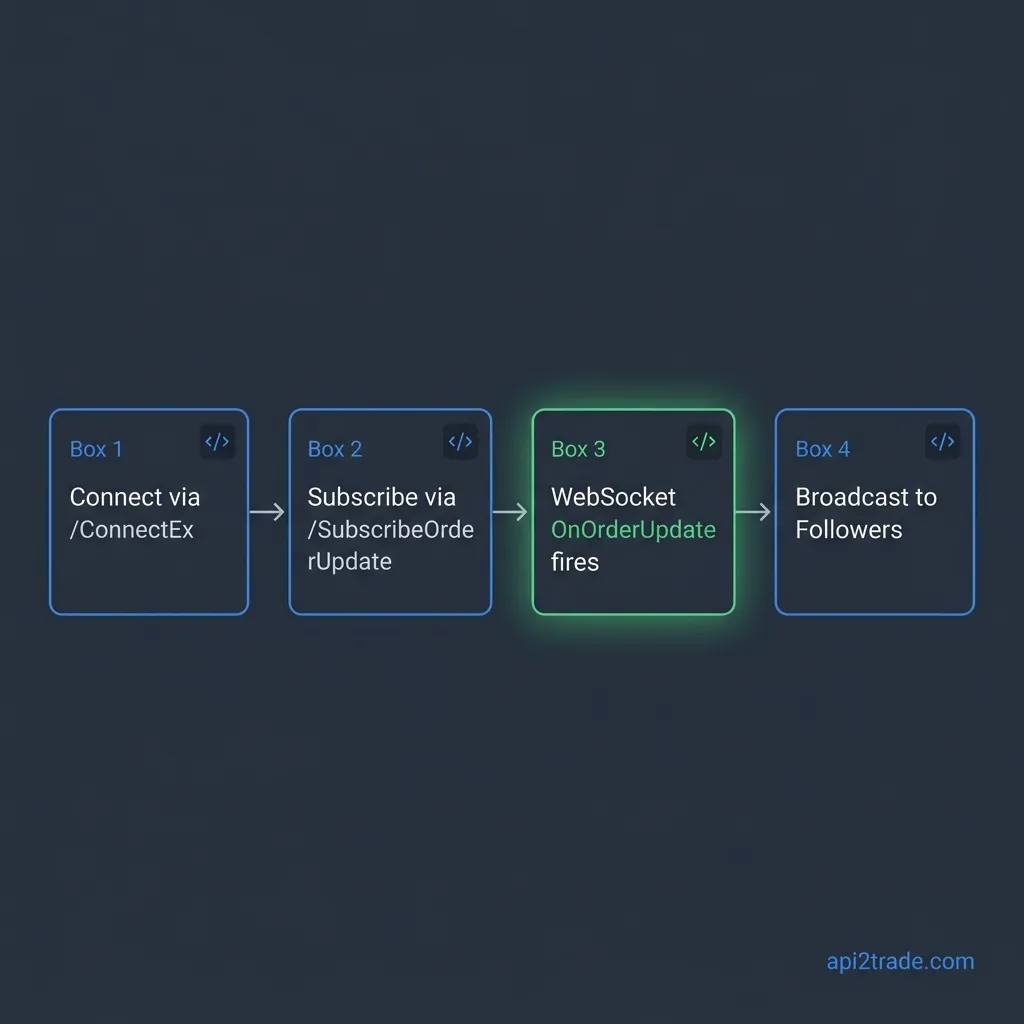
Connects to your master MT5 account through MetaTrader API
Listens for real-time trade events over a WebSocket connection
Detects every new open, partial close and close (new deals are picked up about once per second)
Broadcasts the signal to subscriber accounts (or a Telegram bot, webhook, email — your choice)
There is nothing to install on your side: no EA for you to run, no DLL, no special broker permission.
Prerequisites
A MetaTrader 4 or MetaTrader 5 trading account (demo or live)
A MetaTrader API account (per-seat pricing: one seat per connected account, $14 per month for seats 1–4, $13 for seats 5–19 and $12 from the 20th seat; there is no free trial)
Python 3.9+ with
requestsandwebsocket-clientinstalledYour MT5 account number, password, and server name
Step 1 — Connect Your MT4/MT5 Account via /ConnectEx
MetaTrader API authenticates every request with an API key in the x-api-key header and identifies the trading account by its UUID in the id query parameter. You can connect your account in the dashboard, or from code with /ConnectEx. Called with your management key (Settings → "Create management key", sent as Authorization: Bearer), /ConnectEx connects the account, waits until it is ACTIVE, and returns the account id plus a new apiKey for it. You use both in every later request.
import os, time, requests

API = "https://api.metatraderapi.net"
WS = "wss://api.metatraderapi.net"
MGMT_KEY = os.environ["MTAPI_MGMT_KEY"]   # dashboard → Settings → Create management key

# Your MetaTrader 5 account details
MT5_LOGIN = 62333850              # your MT5 account number
MT5_PASS = "your_mt5_pass"        # the main (trading) password
MT5_SERVER = "MetaQuotes-Demo"    # server name exactly as shown in the MT5 login dialog

AUTH = {"Authorization": f"Bearer {MGMT_KEY}"}

def connect_account():
    r = requests.get(
        f"{API}/ConnectEx",
        headers=AUTH,
        params={
            "user": MT5_LOGIN,
            "password": MT5_PASS,
            "server": MT5_SERVER,
            "platform": "MT5",
            "wait": 60,           # seconds to wait for ACTIVE; keep it at 60 or less (CDN limit)
        },
        timeout=75,
    )
    body = r.json()
    if body.get("status") == "ERROR" or "id" not in body:
        raise RuntimeError(f"connection failed: {body.get('statusReason') or body}")
    account_id, api_key = body["id"], body["apiKey"]   # the apiKey is shown only in this response
    while body.get("status") != "ACTIVE":              # usually ACTIVE within 1–2 minutes
        time.sleep(5)
        body = requests.get(f"{API}/ConnectState", params={"id": account_id},
                            headers=AUTH, timeout=75).json()
        if body.get("status") == "ERROR":
            raise RuntimeError(f"connection failed: {body.get('statusReason')}")
    print(f"Connected. Account id: {account_id}")
    return account_id, api_key

ACCOUNT_ID, API_KEY = connect_account()

api = requests.Session()
api.headers["x-api-key"] = API_KEY
Tip: Save the account id and the API key (as a secret) to a database or .env file and connect only once. The account id is permanent and dropped broker connections are restored automatically; if /ConnectState?id= ever reports DISCONNECTED, call /Reconnect?id=. /ConnectEx puts the broker password in the URL, so from a production backend prefer POST /v1/seats with a JSON body (see the documentation).
For MT4 accounts, pass platform=MT4. The base URL and the endpoints are the same for MT4 and MT5.
Step 2 — No Subscription Call Needed for Trade Events
You do not register for order updates. As soon as you open the account's WebSocket, it pushes every trade action on your master account — every open, every close, every partial close and SL/TP hit — as a TRADE frame, and the full list of open positions as a POSITIONS frame whenever it changes. Quotes are the only thing you subscribe to (see the end of this guide).
Step 3 — Listen on the WebSocket for Real-Time Trade Events
This is where the magic happens. One WebSocket per account, wss://api.metatraderapi.net/v1/stream?id=<account id>, streams all events as JSON in real time. Authentication uses the same API key, passed in the x-api-key header on the WebSocket upgrade request. Every frame has the shape {"type": "...", "data": ...}.
import json
import websocket   # pip install websocket-client

OPEN_POSITIONS = {}   # ticket -> position (symbol, type, volume, sl, tp, profit, ...)

def update_open_positions(positions):
    OPEN_POSITIONS.clear()
    OPEN_POSITIONS.update({p["ticket"]: p for p in positions})

def broadcast_signal(deal):
    print("→ to subscribers:", deal["entry"], deal["symbol"])   # your subscriber logic here

def on_message(ws, message):
    msg = json.loads(message)
    if msg["type"] == "TRADE":
        deal = msg["data"]
        if not deal.get("symbol"):
            return   # defensive: TRADE frames are trade deals, always with a symbol
        # entry: "IN" = opened, "OUT" = closed (fully or partly), "INOUT" = reversed
        print(f"[SIGNAL] {deal['entry']} {deal['type']} {deal['symbol']} | Vol: {deal['volume']} "
              f"| Price: {deal['price']} | Position: {deal['position']}")
        broadcast_signal(deal)   # → your subscriber logic here
    elif msg["type"] == "POSITIONS":
        # full list of open positions, incl. sl and tp: use it to forward SL/TP changes
        update_open_positions(msg["data"])

def on_error(ws, error):
    print(f"WebSocket error: {error}")

def on_close(ws, close_status_code, close_msg):
    print(f"WebSocket closed ({close_status_code} {close_msg}) — reconnecting in 5s...")

def start_websocket(account_id):
    ws = websocket.WebSocketApp(
        f"{WS}/v1/stream?id={account_id}",
        header={"x-api-key": API_KEY},
        on_message=on_message,
        on_error=on_error,
        on_close=on_close,
    )
    ws.run_forever(reconnect=5)   # auto-reconnect 5 seconds after a disconnect

start_websocket(ACCOUNT_ID)
When your master account opens a trade, on_message fires with a frame like this:
{
  "type": "TRADE",
  "data": {
    "deal": 51230011, "order": 182334901, "position": 182334901, "ticket": 51230011,
    "symbol": "EURUSD", "type": "BUY", "entry": "IN", "volume": 0.5, "price": 1.08145,
    "commission": -1.75, "swap": 0.0, "profit": 0.0, "fee": 0.0,
    "magic": 0, "expertId": 0, "comment": "my strategy",
    "time": "2026-10-12T12:15:02Z", "timeUtc": "2026-10-12T09:15:02Z"
  }
}
A TRADE frame carries no stop-loss or take-profit: those are in the sl and tp fields of the matching position (ticket equal to the deal's position) in the POSITIONS frames.
Step 4 — Verify Account Status Before Broadcasting
Before replicating any signal to a subscriber account, it is good practice to verify the subscriber's account is healthy and has sufficient margin. Use /AccountSummary:
def get_account_summary(subscriber_account_id):
    r = api.get(f"{API}/AccountSummary", params={"id": subscriber_account_id}, timeout=75)
    r.raise_for_status()
    return r.json()   # balance, equity, margin, freeMargin, marginLevel, currency, ...

subscriber_account_id = "SUBSCRIBER_ACCOUNT_UUID"   # the subscriber's account id
summary = get_account_summary(subscriber_account_id)
print(f"Subscriber balance: {summary['balance']} | Free Margin: {summary['freeMargin']}")
(One API key can address every trading account of your customer login through ?id=, as long as it is not account-scoped.)
A robust signal service will skip replication if freeMargin is below a threshold, protecting your subscribers from margin calls. This is exactly the kind of risk logic you can build into your own service — something the MQL5 marketplace can never offer you because it runs on their rails, not yours.
Step 5 — Execute the Replicated Trade on the Subscriber Account
Once you've verified the subscriber's account, use /OrderSend to execute the replicated trade. Send a clientOrderId so a retry can never open a second order, and check state: HTTP 200 is not a fill, only state == 10009 is.
def replicate_signal(subscriber_account_id, deal, sl=0, tp=0):
    """Replicate a master opening deal to a subscriber account with proportional sizing."""
    # Example: subscriber uses 25% of master volume
    adjusted_volume = max(0.01, round(deal["volume"] * 0.25, 2))

    r = api.get(f"{API}/OrderSend", params={
        "id": subscriber_account_id,
        "symbol": deal["symbol"],
        "operation": "Buy" if deal["type"] == "BUY" else "Sell",
        "volume": adjusted_volume,
        "stoploss": sl,      # from the master's POSITIONS frame; 0 = none
        "takeprofit": tp,
        "comment": f"copy #{deal['position']}",
        "clientOrderId": f"sig-{deal['deal']}-{subscriber_account_id[:8]}",
    }, timeout=75)
    r.raise_for_status()
    result = r.json()
    if result.get("state") != 10009:
        print(f"Broker refused the copy, retcode {result.get('state')}")
        return None
    print(f"Trade placed on subscriber account: ticket {result['ticket']}")
    return result
Note on MT4: The same /OrderSend call and parameters work for MT4 accounts. A refused MT4 order reports the MT4 error number in state. See the MetaTrader API documentation for the full MT4 vs MT5 comparison.
The Full Architecture at a Glance
Here is the complete signal provider system you now have:
┌─────────────────────────────────────────────────────────┐
│ MASTER ACCOUNT (You)                                    │
│ MT5 Live/Demo Account → MetaTrader API /ConnectEx       │
└──────────────────────┬──────────────────────────────────┘
                       │ WebSocket: wss://.../v1/stream?id=...
                       ▼
┌─────────────────────────────────────────────────────────┐
│ YOUR SIGNAL SERVER (Python)                             │
│ Receives TRADE and POSITIONS frames in real time        │
│ Applies risk filter (margin check, lot sizing)          │
│ Calls /OrderSend on each subscriber account             │
└──────┬────────────────┬───────────────┬─────────────────┘
       ▼                ▼               ▼
 Subscriber A     Subscriber B    Subscriber C
 (0.25x lots)     (0.50x lots)    (1.00x lots)
Each subscriber can have their own lot multiplier, risk cap, or symbol filter. This is your system. You control everything.
What About Getting Paid?
This is where running your own signal service genuinely beats MQL5.
With MQL5 Signals, MetaQuotes sets the rules and keeps a commission on every subscription. And you cannot charge performance fees, PAMM-style profit share, or tiered pricing.
With your own API-based signal service, you can:
Charge a monthly subscription (Stripe, PayPal, crypto — your choice)
Charge a performance fee (e.g., 20% of profits)
Offer a free tier (e.g., 1-hour delayed signals) and a premium tier (real-time)
Build a subscriber dashboard that shows performance stats, live equity, drawdown history
All of this is possible because you have programmatic access to /TradeStats, /EquityHistory, and /OpenedOrders for any connected account. You can build a leaderboard, a subscriber portal, or a Telegram bot — anything.
For the dashboard and account automation side of this, see our guide: How Brokers Automate Account Management with MetaTrader API →
Monitoring Your Master Account's Open Positions
Your subscribers want to see what is currently open on your account — before they sign up. Use /OpenedOrders to expose this in real time:
def get_open_positions(account_id):
    r = api.get(f"{API}/OpenedOrders", params={"id": account_id}, timeout=75)
    r.raise_for_status()
    return r.json()   # open positions and pending orders, as order objects

for o in get_open_positions(ACCOUNT_ID):
    print(f"{o['symbol']} | type {o['orderType']} | {o['lots']} lots | P/L: {o['profit']}")
This data powers your public-facing "live performance" widget. Embed it on your website, Telegram channel, or Discord server to attract subscribers.
MQL5 Marketplace vs. Your Own Signal Service: A Real Comparison
| Feature | MQL5 Marketplace | Your Own API Service |
|---|---|---|
| Revenue share | MetaQuotes keeps a commission | 100% to you (minus your payment fees) |
| Performance fees | Not supported | Full control |
| Subscriber data/emails | You don't own them | Your database |
| Custom lot sizing per subscriber | Fixed | Per subscriber |
| Your own branding/domain | MQL5 brand | Yours |
| MQL5 approval required | Yes | No |
| EA to install on your side | Often | No |
| MT4 + MT5 support | Limited | Both |
| Custom subscriber dashboard | No | Yes |
Going Further: Adding WebSocket Quote Streaming
If your signal service also wants to show live prices or market data to subscribers — perhaps to display the current spread before copying a trade — subscribe to quotes on the same /v1/stream WebSocket. Send one message per symbol; QUOTE frames then arrive on every price change (at most one every 200 ms per symbol):
def on_open(ws):
    for symbol in ("EURUSD", "GBPUSD", "XAUUSD"):   # the broker's exact symbol names (/SymbolList)
        ws.send(json.dumps({"action": "subscribe", "symbol": symbol}))

# Pass on_open=on_open to the WebSocketApp from Step 3, and handle QUOTE frames in on_message:
#     if msg["type"] == "QUOTE":
#         q = msg["data"]   # {"symbol": "EURUSD", "bid": 1.08145, "ask": 1.08157, "timeUtc": "...", ...}
#         print(q["symbol"], q["bid"], q["ask"])
Subscriptions belong to one socket: after a reconnect, on_open runs again and subscribes again.
This is how you build a live market data feed into your subscriber dashboard — without paying a separate data vendor. For a deeper dive into real-time streaming and low-latency architecture, see: Low-Latency MetaTrader Infrastructure for Brokers →
Related Reading
If you found this useful, these guides on the MetaTrader API blog take the next steps further:
MT5 API for Prop Trading Firms: Challenge Automation — Automate onboarding and account monitoring for challenge participants
Build a Reliable Forex & CFD Scalping Bot with MetaTrader API — Add automated execution to your signal strategy
MetaTrader API CRM Integration for Brokers — Sync your subscriber data into a CRM
Forex Broker API Integration: A Complete Developer Guide — If you want to go further and build your own brokerage layer
External resources:
- MetaTrader 5 Python Package documentation — The official MT5 Python library (local MetaTrader installation only, no cloud)
- WebSocket RFC 6455 — The WebSocket standard that underpins the
/v1/streamWebSocket - ESMA (European Securities and Markets Authority) — regulatory context for European signal providers

Build Your Signal Service Today
Everything in this guide runs on MetaTrader API. You can make your first API call in about ten minutes; a newly connected account is usually ACTIVE within 1–2 minutes. A seat costs $14 per month; there is no free trial.
→ Create account at app.metatraderapi.net
→ Read the full API documentation
→ Browse all developer guides on the MetaTrader API Blog
No Expert Advisor for you to run. No MQL5. No MetaQuotes approval process.
Just your strategy, a REST API, and complete control over your signal business.
MetaTrader®, MT4® and MT5® are registered trademarks of MetaQuotes Ltd. MetaTrader API is an independent service and is not affiliated with, authorized by, or endorsed by MetaQuotes.
Frequently asked questions
Do I need MQL5 to become a MetaTrader signal provider?
No. With a REST API like MetaTrader API, you can detect and broadcast your MT4/MT5 trades in real time using Python, Node.js, or any HTTP-capable language — with no Expert Advisor for you to install and no MQL5 code.
How does the MetaTrader API signal provider setup work?
You connect your MT5 account via /ConnectEx (or in the dashboard), then open the MetaTrader API WebSocket at wss://api.metatraderapi.net/v1/stream?id=<account id> with your x-api-key. TRADE and POSITIONS frames arrive without any subscription call (new deals are picked up about once per second). Your server then broadcasts those events to subscribers. Full endpoint details are in the API documentation.
Can I become a signal provider on MT4 and MT5?
Yes. MetaTrader API supports both MetaTrader 4 and MetaTrader 5 with identical endpoints, the same base URL and the same WebSocket. You choose the platform when you connect the account (platform=MT4 or MT5).
How do I get started with MetaTrader API?
Sign up at app.metatraderapi.net and add one seat per MT4 or MT5 account you connect. A seat costs $14 per month (less from the 5th seat); there is no free trial. Your API key is created when you connect the account.
Can I use this with a prop firm funded account?
Yes, as long as your prop firm provides you with the MT5 login credentials and server name. You are connecting to the account as the account holder — the MetaTrader API service acts as a bridge. For prop firm-specific compliance monitoring and rule enforcement, see: Build Prop Firm Rule Enforcement on MetaTrader Accounts →
What if my subscribers use different brokers?
Each subscriber's MT4/MT5 account is connected as its own MetaTrader API seat with its own account id. The account can be at any broker on any server — the API is broker-agnostic. You simply call /OrderSend with each subscriber's account id and the correct symbol name for their broker (e.g., EURUSD vs EURUSD.m).
Is this legal? Am I acting as an unregulated fund manager?
Signal providing — where subscribers manually choose to replicate trades and control their own account — is generally treated differently from fund management across most jurisdictions. However, regulatory rules vary by country. Always consult a financial compliance advisor before charging subscribers for signals. This guide covers the technical implementation only.
Can I add AI to this?
Yes. Because your signal data flows through your own Python server, you can insert any AI layer between the master account event and the subscriber execution. For a complete example of adding OpenAI-based analysis to a MetaTrader pipeline, see: How to Build an AI Forex Trading Bot →
Ready to integrate the MetaTrader API?
REST, WebSocket and gRPC for MT4 and MT5. Pay per connected account.
Create account